




Fast Self-Service for Facebook Users.
24/7 online service available to all customers.
To avoid waiting time online, you could submit a ticket to us, our agent will respond within 1 business day.


Fast Self-Service for Facebook Users.
24/7 online service available to all customers.
To avoid waiting time online, you could submit a ticket to us, our agent will respond within 1 business day.
Sign In / Register
My Balance
Modlily Club
Sign in for the best experience
Processing
It's easy shopping in Modlily. Just follow the steps to order.
Step 1: Add the item(s) to your bag
Choose the size, color in product page.You can check more information in product details.

Click on “ADD TO BAG”.
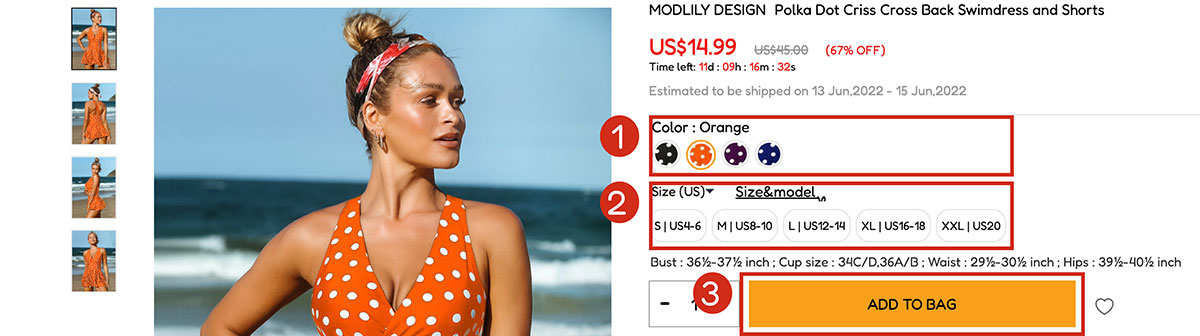
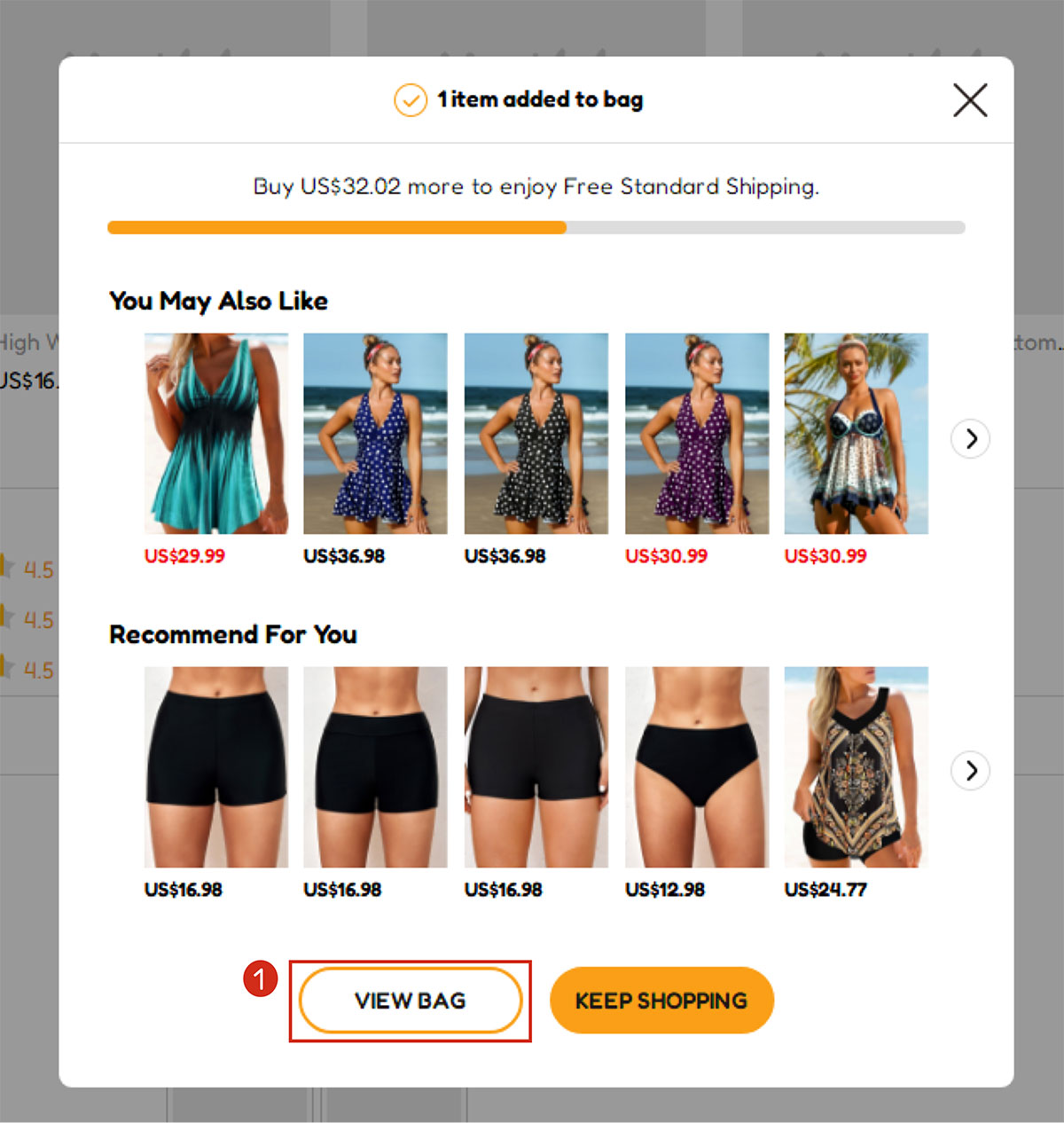
Step 2: Check out when necessary info is chosen.
Click the “VIEW BAG” to review the item(s)you chose in the bag page.Or click “KEEP SHOPPING” if you want to buy more items
Click on “CHECKOUT NOW” or “PayPal Checkout” if you are ready to place the order.
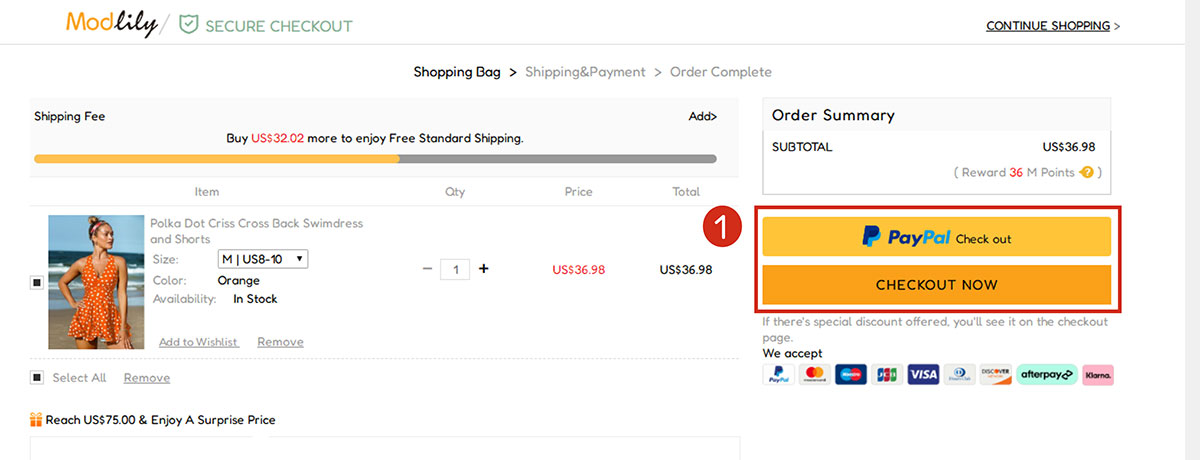
Step 3: Log in your MODLILY account
Choose SIGN IN if you already have an account on our site;
Choose NEW ACCOUNT to register with your email account otherwise
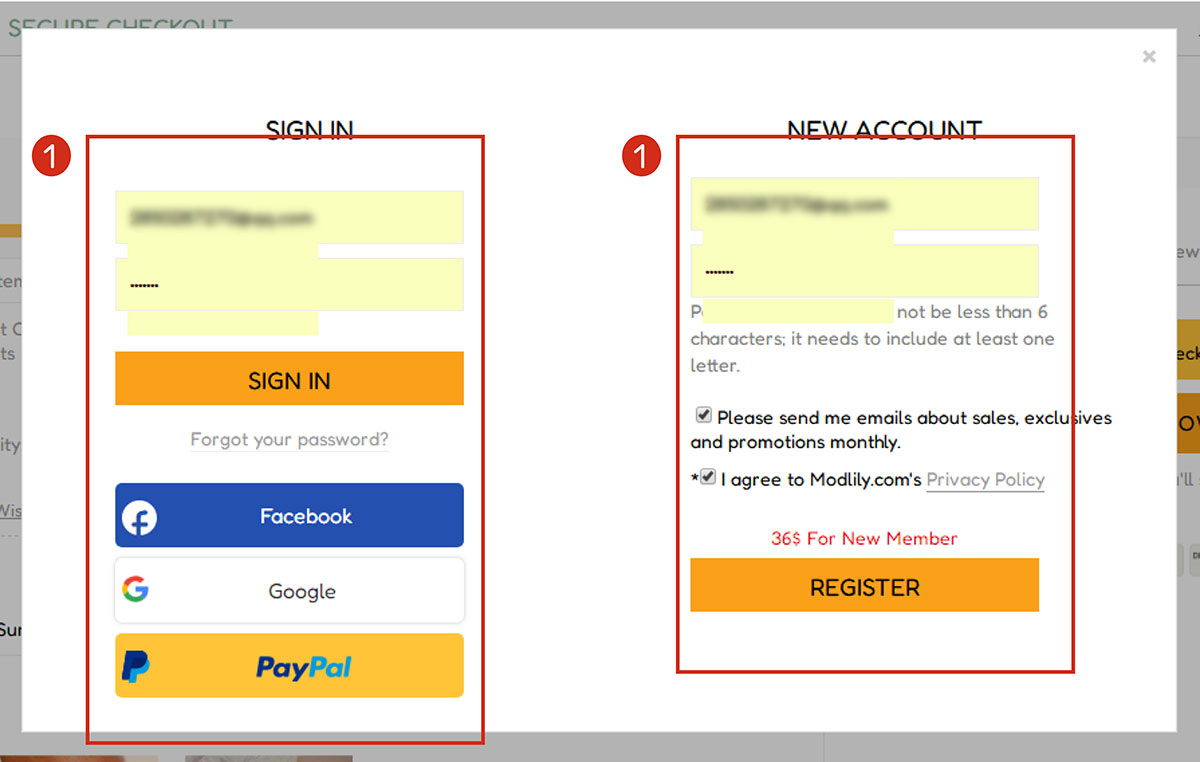
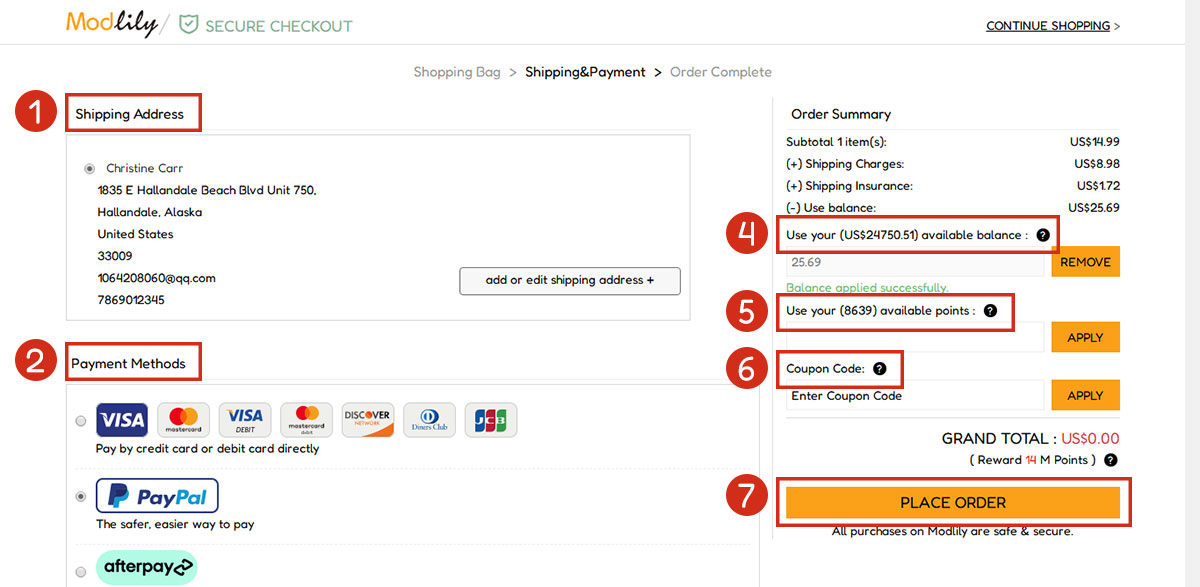
Step 4: Fill in shipping and payment information
Fill in Shipping Address
Choose a Payment Method and fill in payment informations
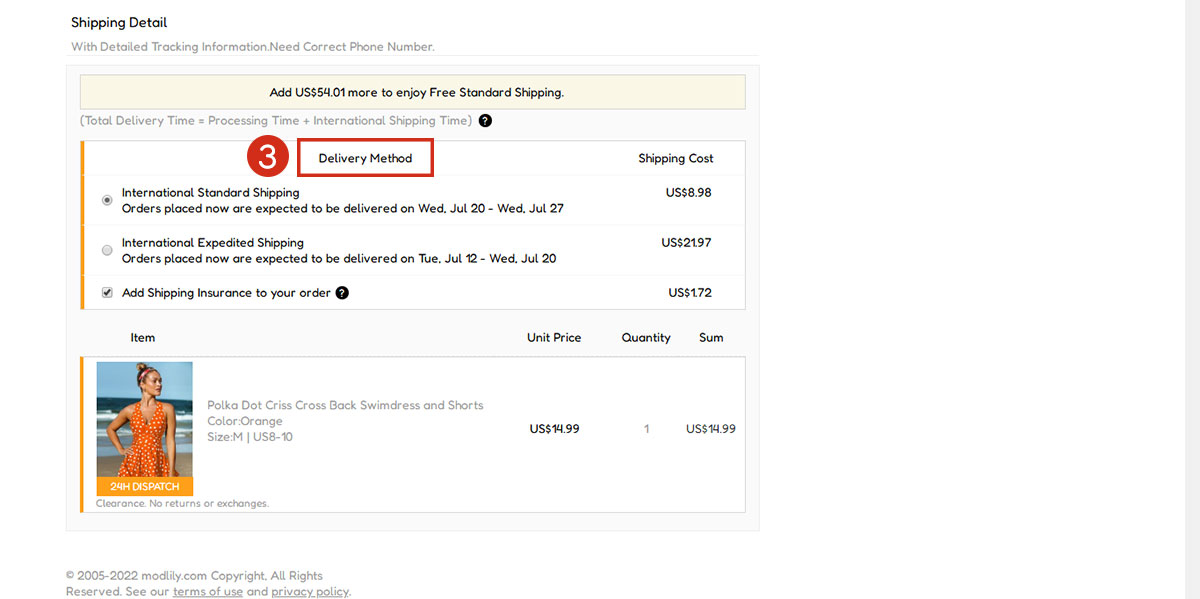
Choose a Delivery Method
Apply a coupon or points (if you have)
Apply balance (if you have)
Click “PLACE ORDER” to finish the purchase
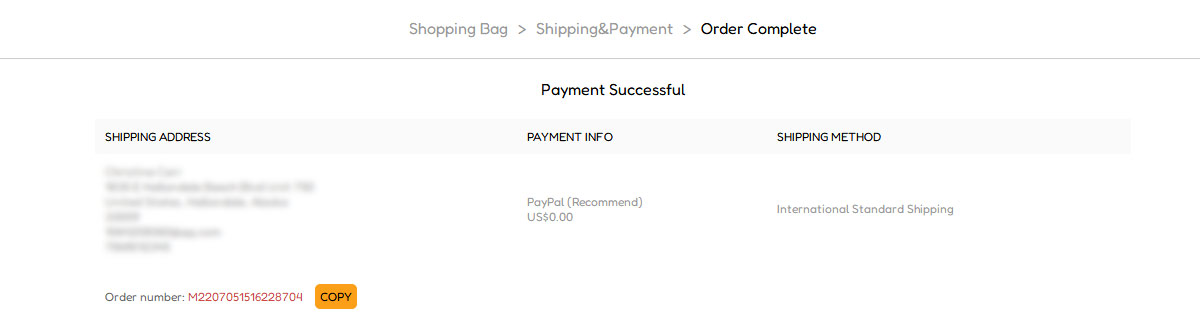
Step 5: Order Completed
Notes:

Create Account
Create password to get more coupons!
$100 OFF
New Members only!
Create Account
Create password to get more coupons!
$100 OFF
New Members only!
$20 OFF
for text subscribe

*It includes 4 coupons
Expired:
CODE:
Expired:
Fast Self-Service for Facebook Users.
24/7 online service available to all customers.
To avoid waiting time online, you could submit a ticket to us, our agent will respond within 1 business day.